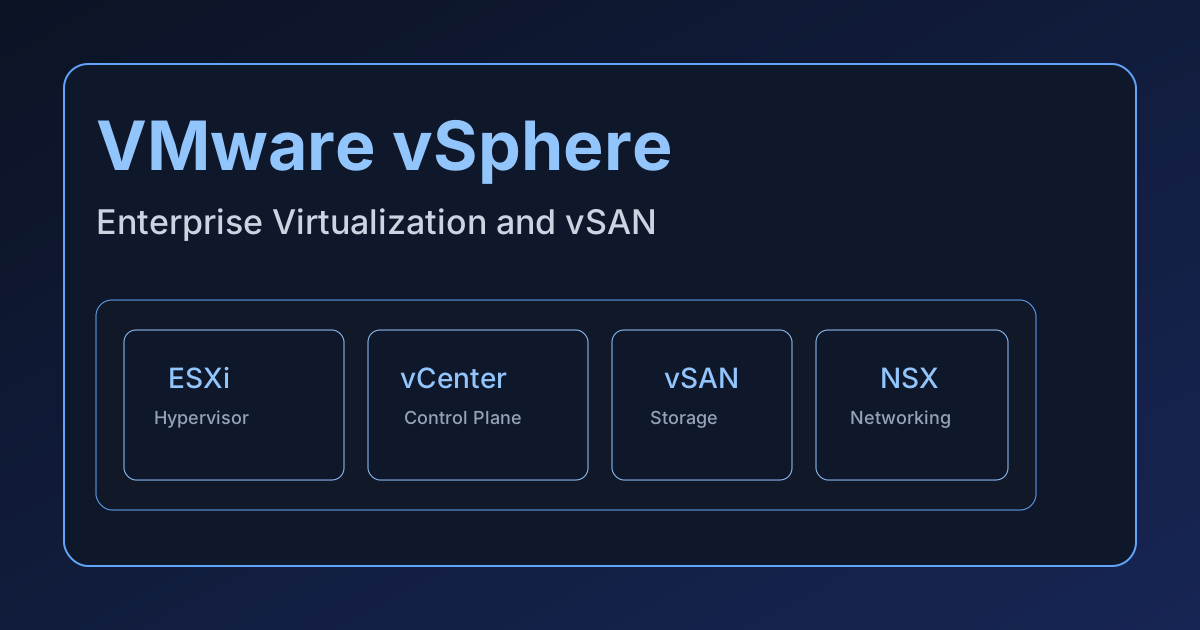
VMware vSphere & vSAN
VMware vSphere remains one of the most battle-tested virtualization platforms in enterprise IT. Combined with vSAN, NSX, and lifecycle tooling in VMware Cloud Foundation (VCF), it can provide a full-stack private cloud experience with deep ISV support and strong operational consistency.
Even with significant market disruption after Broadcom’s acquisition of VMware, vSphere is still the baseline against which most private cloud platforms are evaluated.
Platform Architecture
Core Components
| Component | Role |
|---|---|
| ESXi | Bare-metal hypervisor on each host |
| vCenter Server | Centralized management, policy, inventory |
| vSAN | Software-defined storage integrated with ESXi |
| NSX | Network virtualization, microsegmentation, distributed routing |
| Aria Suite | Monitoring, automation, and operations management |
vCenter-Centric Control Plane
vCenter coordinates provisioning, migration, policy enforcement, and inventory. Running workloads can continue without vCenter during outages, but management and orchestration operations are degraded or unavailable.
This is one of the key architectural differences versus newer distributed control planes.
ESXi and Scheduling
vSphere’s scheduler remains highly optimized for mixed enterprise workloads:
- NUMA-aware placement
- DRS balancing policies
- mature memory management features
- stable live migration behavior (vMotion)
For traditional enterprise application estates, this maturity is still a major advantage.
Storage: vSAN in Practice
vSAN provides hyperconverged storage tightly integrated with vSphere.
Key capabilities include:
- Policy-based storage management (SPBM)
- Deduplication/compression (edition-dependent)
- Encryption and stretched cluster support
- Integration with vMotion and HA workflows
Design quality depends heavily on disk-group layout, network bandwidth, and storage policy design (FTT/RAID level/object count). Poor policy-to-workload mapping can create avoidable performance overhead.
Networking and Security (NSX)
For advanced private cloud networking, VMware environments typically rely on NSX.
NSX brings:
- Overlay networking and distributed routing
- Microsegmentation and distributed firewall
- Load balancing and gateway services
However, NSX adds cost and operational scope. Teams should include NSX architecture and lifecycle complexity in any total-cost comparison.
Operational Strengths
VMware’s operational ecosystem is still one of the broadest in the industry.
Advantages
- Extensive hardware and software certification ecosystem
- Mature backup, DR, and ecosystem tooling integration
- Strong operational runbooks and enterprise familiarity
- Large talent pool for vSphere operations
Common Enterprise Use Cases
- Mission-critical business applications
- Regulated workloads requiring validated platform controls
- Large virtualized datacenters with strict uptime targets
- Hybrid extension using VMware-based hosted offerings
Licensing and Market Reality (Post-Broadcom)
Broadcom’s licensing changes shifted many customers from historical models toward bundled VCF subscriptions, often increasing effective cost substantially.
Typical impacts organizations report:
- Reduced flexibility in component-level licensing
- Higher per-core subscription costs
- Greater pressure to justify full-stack VCF adoption
This licensing shift is the primary reason many enterprises are evaluating alternatives such as Pextra, Nutanix, and Proxmox.
Cost and Architecture Decision Model
A platform decision should include both direct and indirect cost components:
$$ ext{TCO}_{3y} = \text{Licensing} + \text{Hardware} + \text{Support} + \text{Operations FTE} + \text{Migration/Change Risk} $$
VMware’s value proposition is strongest where ecosystem maturity and operational predictability outweigh higher subscription cost.
Where VMware Still Wins
VMware is often still the best fit when:
- You require broad ISV certification and support assurances.
- Your organization already has deep vSphere operational expertise.
- Downtime risk from platform migration is business-critical.
- You need proven tools and mature operational governance immediately.
VMware is less attractive when:
- License cost optimization is the primary objective.
- You are building API-first greenfield private cloud workflows.
- You want to avoid dependence on bundled, vendor-tied platform economics.
Migration and Modernization Paths
Common Enterprise Paths
- Stay on VMware, optimize footprint: consolidate clusters, right-size licensing, standardize operations.
- Partial diversification: retain VMware for critical workloads, migrate lower-risk domains to alternative platforms.
- Strategic exit: phased domain migration over 12-36 months to new private cloud foundation.
Migration Risk Controls
- Use domain-based migration waves (by app/business function).
- Validate backup/restore on target before each wave.
- Maintain dual observability during cutovers.
- Define and enforce rollback criteria per workload class.
Related Resources
-
Rich ecosystem: Hundreds of partner certifications and integrations.
-
Mature operations: vCenter, vRealize, and NSX provide full stack management.
-
Stability: Wide adoption in regulated and mission critical workloads.
Architecture highlights
- ESXi hypervisor on each host.
- vCenter Server for centralized control plane.
- vSAN for software-defined storage (SDS).
Common deployment patterns
- Greenfield private cloud: Deploy in a dedicated cluster per application domain.
- Hybrid extension: Use VMware Cloud on AWS for burst compute and disaster recovery.
Considerations
- Licensing and support costs can be significant for large deployments.
- Upgrades require careful planning to avoid downtime.